Put your bid into PBS · v0.1.49
Bid Builder writes your layers; this Chrome extension types them into PBS for you. It is not in the Chrome Web Store yet, so you load it by hand once. Ten minutes, and you only do it once.
This page documents v0.1.49 — the panel header in PBS and the card on chrome://extensions must say exactly
that.
- It updates your monthly bid to match Bid Builder — after telling you what changes. Layer by layer it keeps the lines that already match, removes only what differs and adds what is new, and changes nothing until you press Update. Importing the same bid twice changes nothing.
- It never touches your Standing Bid, carry-in trips or reserve lines you typed in PBS yourself.
- It writes your reserve layers too, as PBS's own reserve bids — days, Long or Short Call, work block, waivers and Avoid Lineholder. Anything PBS's own screen wouldn't take, Preview names at the top. A reserve bid you typed in PBS yourself is never changed.
- It never writes a line PBS's own screen would refuse. PBS won't let you bid a day off over a pre-assignment (training, vacation) or a Target Credit Range outside your credit window, so neither will this. Preview lists anything it left out. And PBS stops taking bids at 300 lines, so this never takes your bid past 300.
- It checks its own work. It adds one layer at a time and reads your bid back after each. If anything lands differently from what it showed you, it stops and puts back exactly what you had.
- Undo is always in the panel. It removes what the import wrote and puts back the lines you had, on the same layers.
- It only runs on PBS. It is allowed on
pilotpbs.aa.comand nowhere else — not JetNet, not your email, not any other tab, and not AskPubs. - One way, one bid. Bid Builder → your PBS monthly bid. It never touches your Standing Bid, and it never copies anything out of PBS.
- Nothing leaves your browser except what you paste. It sends nothing to AskPubs and nothing to anyone else. The only thing it talks to is the PBS page you are already logged into.
- It does not know your password. You log into PBS yourself, as you always do.
Install it
-
Download the extension
One zip file, about 107 KB.
Download pbs-import-v0.1.49.zipUse a desktop or laptop Chrome. This does not work on a phone or tablet — Chrome on iOS and Android cannot load extensions at all.
No Chrome? You can still type your bid in yourself: in Bid Builder, open Your line → By layer. It lists every layer and its trip numbers in the order PBS gets them; PBS Preview spells out the rest of the layers.
-
Unzip it, and remember where it went
Mac: double-click the file in Downloads. You get a folder called
pbs-importnext to it, inDownloads.Windows: right-click the file → Extract All… → Extract. You get a folder called
pbs-import-v0.1.49inDownloads, with apbs-importfolder inside it.Keep this folder. Chrome does not copy it — it reads the extension from wherever you leave it, every time Chrome starts. If you delete it or move it to the Trash, the extension stops working. -
Open Chrome's extensions page and turn on Developer mode
Type
chrome://extensionsin the address bar and press Enter. Then turn on Developer mode, top right.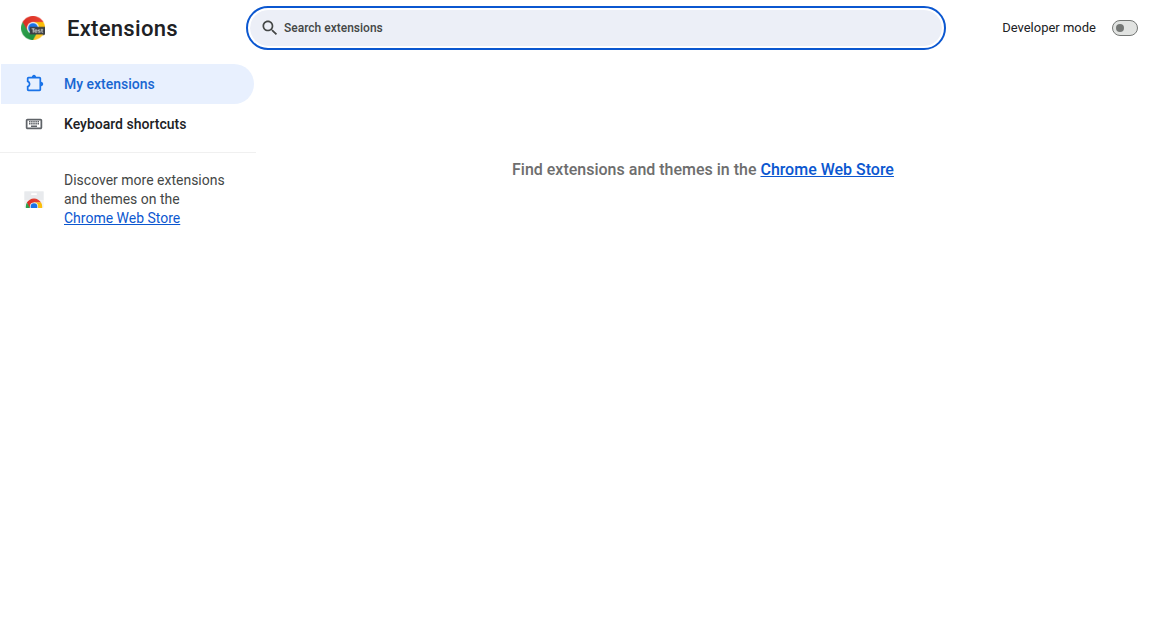
Before — Developer mode off. 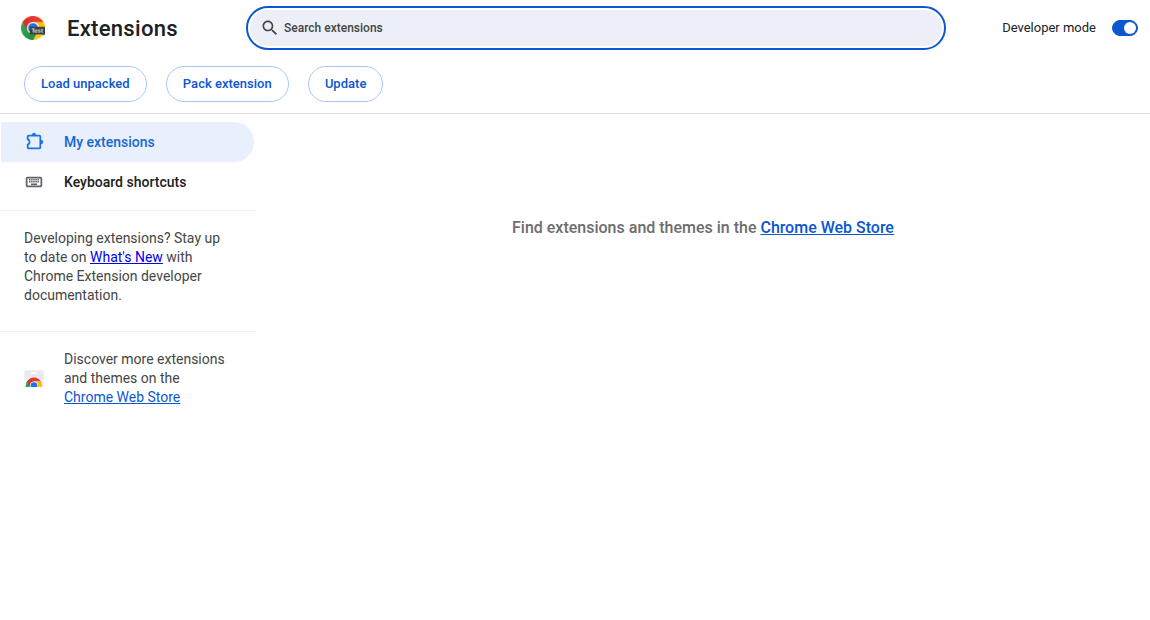
After — three new buttons appear, including Load unpacked. -
Load unpacked → pick the folder
Press Load unpacked. Your computer's folder picker opens. Go to where you unzipped, select the folder named
pbs-import— the one that hasmanifest.jsoninside it — and press Select (Mac) or Select Folder (Windows).Pick the folder, not a file inside it. If Chrome says "Manifest file is missing or unreadable", you selected the folder one level too high — open it and pick thepbs-importfolder inside.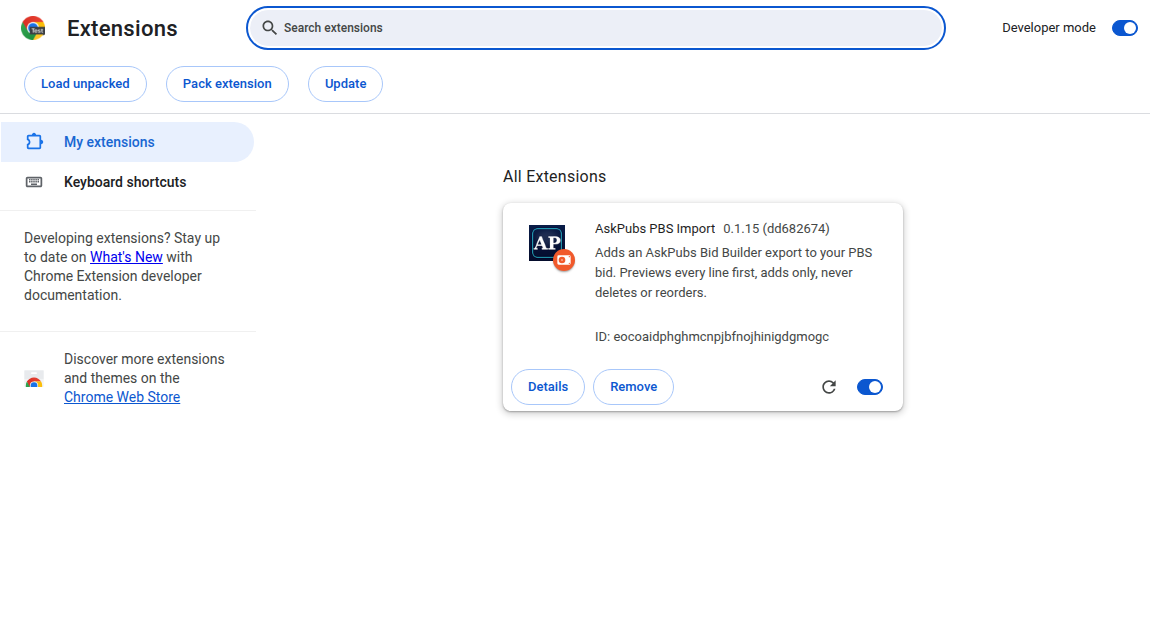
Installed. The card shows the version — it must say v0.1.49. -
Open PBS and log in as yourself
Go to
pilotpbs.aa.com/aospbs2and log in the way you normally do. The AskPubs Import button appears at the bottom right of the PBS page. If it does not, reload the page once — Chrome does not put the extension into tabs that were already open.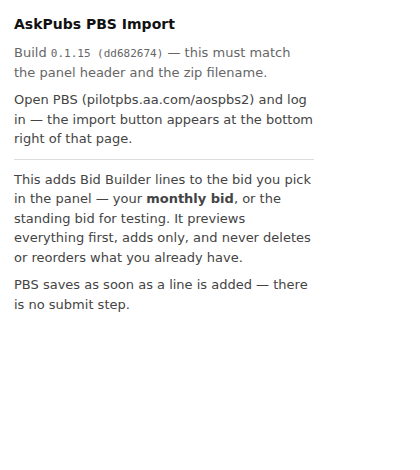
Clicking the extension's icon in the Chrome toolbar shows which version you have. -
Paste, read what changes, then Update
In Bid Builder: PBS Preview → Copy for PBS. In PBS: press AskPubs Import, paste, press Preview. The bar at the top says, for example, Your November 2026 bid has 562 lines now. Updating keeps 540, removes 6 and adds 16, so it matches Bid Builder's 556. Your Standing Bid is not touched. Undo puts back what you had. Under it, each layer says unchanged or from line N: remove M, add K, and any line on your bid that Bid Builder doesn't know (added in PBS by hand) is named before you press Update, or Keep what I have.
Keep the PBS tab open while it works — the bar shows how far it is and about how long is left. It removes only the lines that differ, adds the new ones one layer at a time and checks each one. When it is done it reloads PBS for you and says PBS reloaded — check the Layer tab. If it says Stopped, it has put your old bid back; read the box, and Copy details for AskPubs gives us what we need to fix it.
Changed your mind? Undo at the bottom of the panel puts back exactly the lines you had.
300 lines at most. PBS's own screen won't add a bid once your monthly bid holds 300 lines — trips, days off, properties and reserve lines all count; a line on several layers counts once; carry-ins and your Standing Bid don't. Bid Builder won't copy a bid over 300, and the extension won't import one: it tells you how many to remove.Don't press PBS's “Export to Current Bid” on the Standing Bid tab after importing — PBS warns it erases your current bid.
When a new build comes out
-
Find the folder Chrome loads it from
Go to
chrome://extensions. On the AskPubs PBS Import card press Details and read Loaded from — for example~/Downloads/pbs-import. Leave the card alone: no Remove, no Load unpacked. -
Download and unzip the new build somewhere else
Press the download button above and unzip it on your Desktop, not in the folder from step 1. You get a
pbs-importfolder (on a Mac it may be namedpbs-import 2). -
Copy the new files over the old ones
Open the new folder and select everything inside it — ⌘A on a Mac, Ctrl+A on Windows — then copy (⌘C / Ctrl+C). Open the Loaded from folder from step 1 and paste (⌘V / Ctrl+V).
Mac: choose Replace and tick Apply to all. Windows: choose Replace the files in the destination. -
Press ↻ on the card
Back on
chrome://extensions, press the ↻ (reload) icon on the AskPubs PBS Import card. The card must say v0.1.49. If it still shows the old version, the files went into a different folder — check Loaded from again. -
Reload PBS and check the version
Reload your PBS tab. The AskPubs import panel header must say v0.1.49, and Imports this browser remembers still lists your earlier imports.
If something is wrong
No button on the PBS page. Reload the page. Still nothing — check the card on
chrome://extensions is switched on, and that you are on
pilotpbs.aa.com/aospbs2 and logged in.
The card says "errors". Copy the files from a fresh download over the same folder again (steps above) and press ↻. Remove only as a last resort, and only after pressing Undo on any import you might want to take back — Remove deletes the list of your imports. Nothing in PBS itself is affected.
Chrome asks to turn off developer-mode extensions. Say no, or dismiss it. That prompt appears because the extension is loaded by hand rather than from the Web Store; it does not mean anything is wrong.
v0.1.49. Questions go through the app, not this page.
— AskPubs